
How to Set Up a Blog on Ulna

If you have been thinking about starting a blog as a clinician but kept putting it off because the setup felt like too much work, this article is for you. On Ulna your blog is not something you build separately. It is already there the moment you create your account. All you have to do is publish your first article, and it becomes visible to anyone who visits your profile.
This is a step by step walkthrough of how to do exactly that.
Step 1: Create Your Account
Go to app.ulna.bio/auth/sign-up and register. The process takes a few minutes. Once you are in, Ulna will walk you through an onboarding sequence that helps you build out your professional profile, your specialty, clinical background, work history, publications, and links.
Do not rush through this part. The richer your profile, the more credible your blog feels to anyone who reads your articles and then wants to know who wrote them. A well-written article from an anonymous profile does far less work than the same article from a complete one.
Step 2: Complete Your Profile
Before you publish anything, get your profile to a strong completion score. Open the sidebar and look for the profile completeness guide. It will show you exactly which sections are outstanding and what to fill in next.
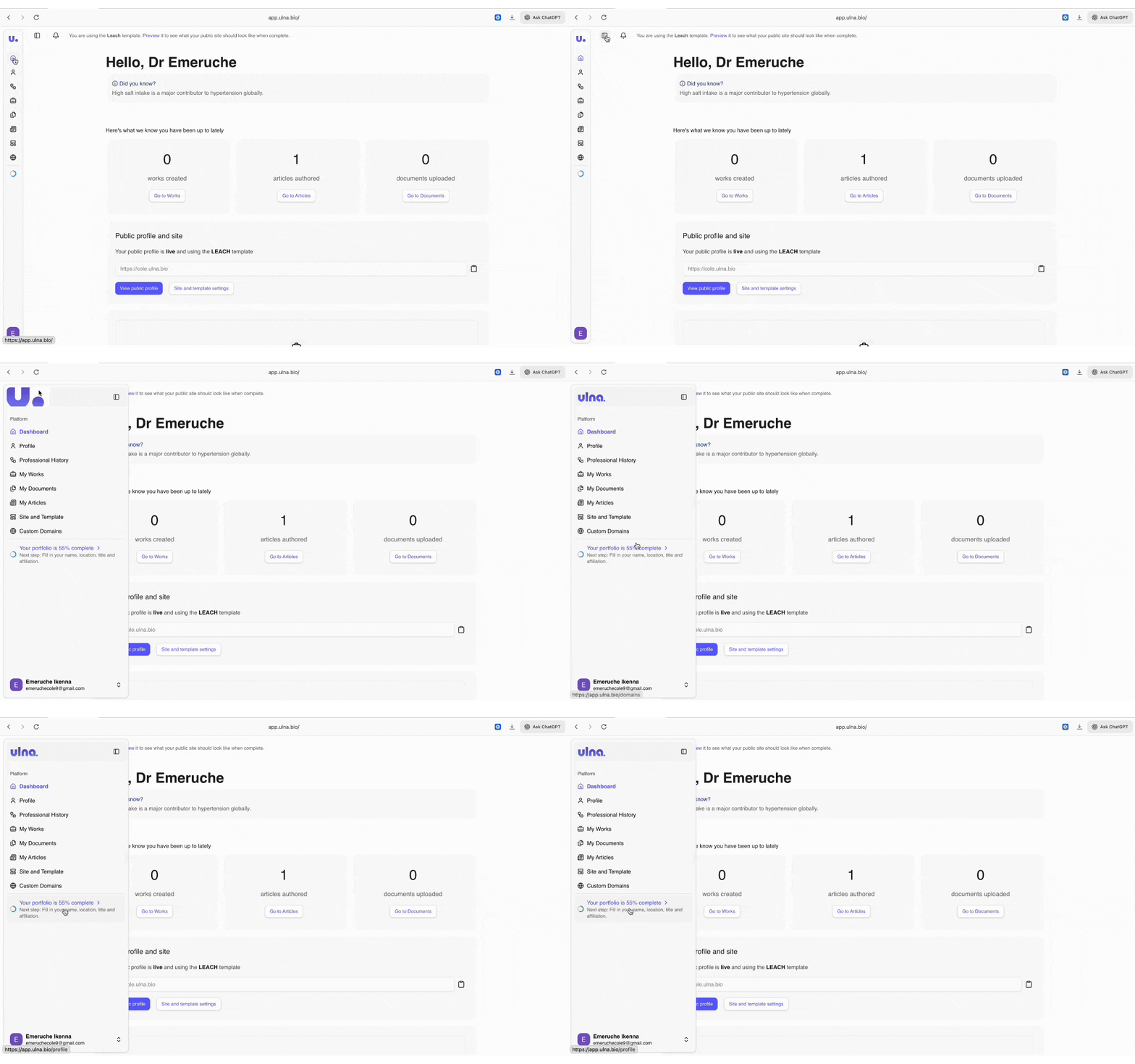
Ulna scores your profile across several dimensions and surfaces the gaps clearly. Work through the checklist until your score is in good shape. This matters because your blog and your profile live together at your public URL. When someone finds one of your articles, your profile is the first thing they see next.
Step 3: Go to Articles and Start Writing
Once your profile is set up, navigate to /articles in your dashboard and click Write New.
The editor is straightforward. Write your article title, then write the body. You do not need to save manually at any point. Ulna saves your draft automatically as you type, so you can close the tab, come back anytime, and pick up exactly where you left off.
If your plan includes image attachments, you can insert images directly into the article body as you write.
Take your time here. There is no pressure to publish on the same day you start. A lot of good articles are written across two or three sessions.
Step 4: Publish
When you are happy with the article, click Publish. Ulna will prompt you to add two things before it goes live:
- A short description or summary of the article
- A featured image
Both matter. The description is what appears in previews, on your profile, and in search engine results. The featured image is the first visual impression the article makes. Treat both seriously.
Once you confirm, the article is live.
What Happens Next
Your blog is now visible on your public profile. Anyone who visits your Ulna public profile URL will see your portfolio and your published articles together in one place. As you publish more, your blog builds up alongside your credentials, creating a professional presence that shows both what you have done and how you think.
One article is enough to get started. Write what you already know. The rest follows from there.
Ulna is a portfolio and blog platform built specifically for clinicians. Get started at ulna.bio.